Note: This documentation applies to the Nuvexlens Advanced Charting System. Nuvexlens fully supports technical indicators and strategy backtesting to help you make smarter trading decisions.
Where can I see the expiration time of the order?
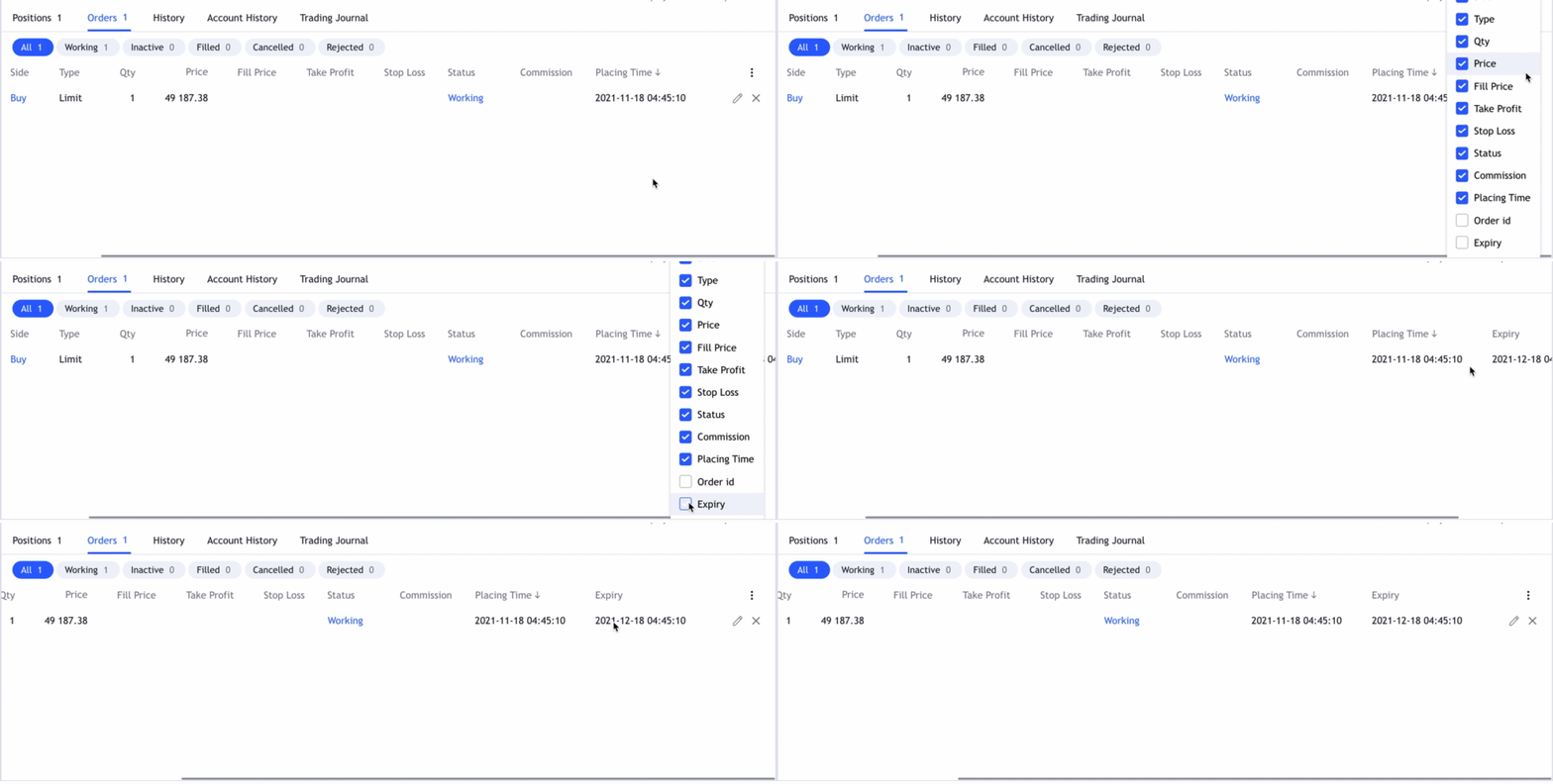
Please open Trading Panel→ Orders→ Expiry.
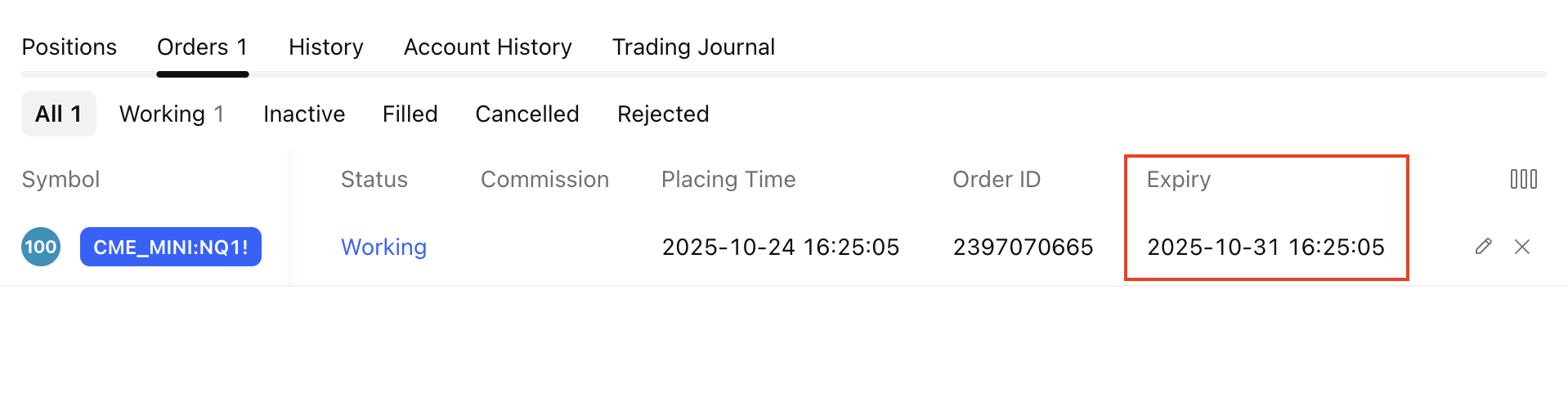
In case you can not find this column, please click on the vertical dots in the top right corner(Column Setup) -->tick Expiry.