
Note: This documentation applies to the Nuvexlens Advanced Charting System. Nuvexlens fully supports technical indicators and strategy backtesting to help you make smarter trading decisions.
How to connect or disconnect a Paper Trading account
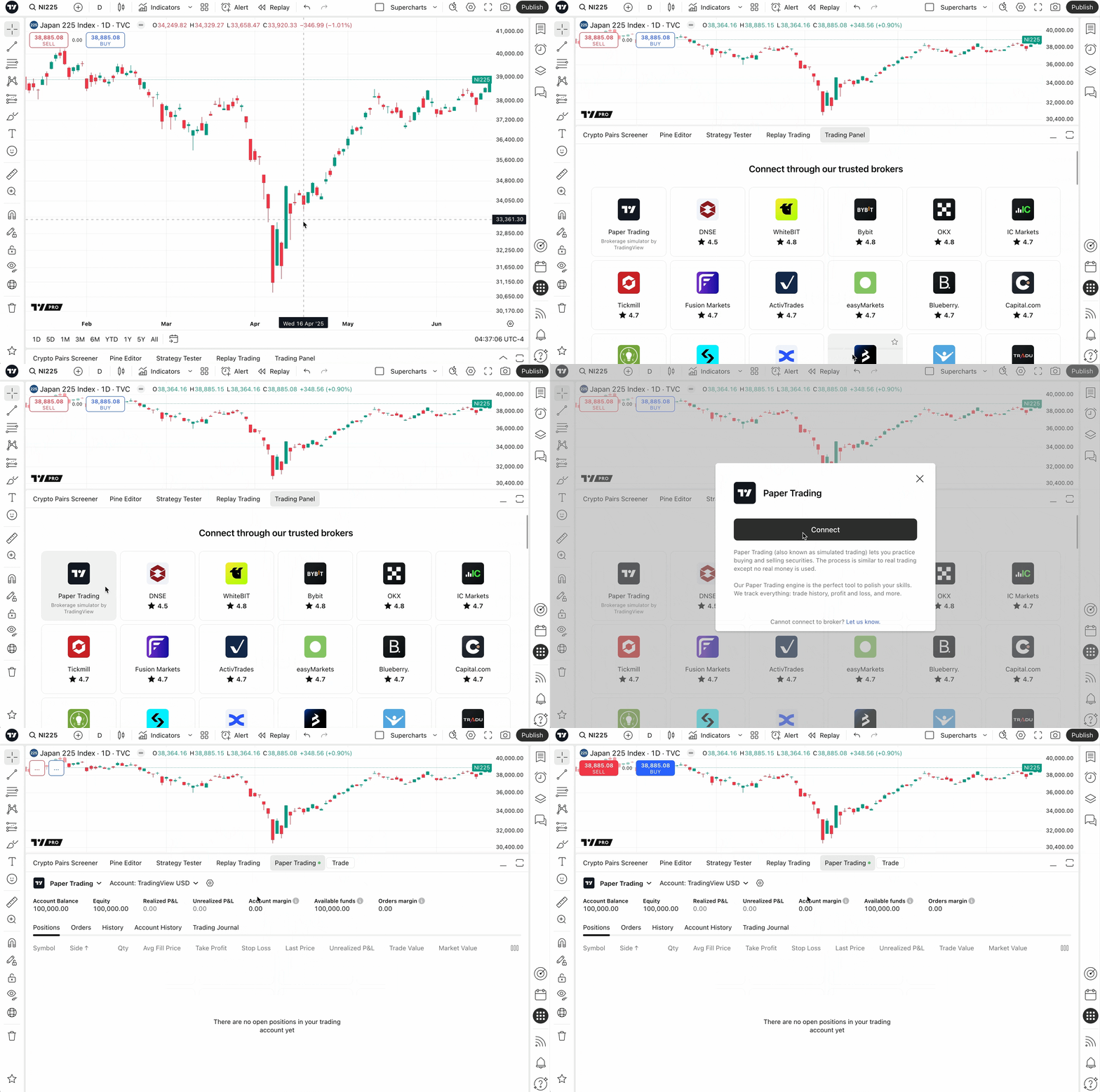
From this very article, click on Paper Trading — and you're almost set.
Or you can:
- Open Supercharts
- Find the Trading panel at the bottom
- Select Paper Trading from the available brokers
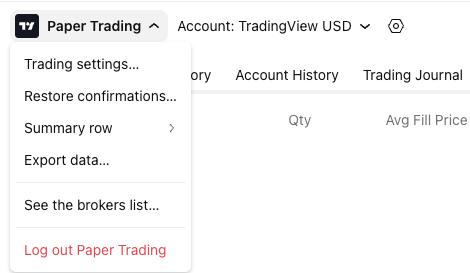
To disconnect Paper Trading:
- Open the Trading Panel
- Open the trading menu in the top-right
- Click Log out Paper Trading or See the brokers list
Also read: