Note: This documentation applies to the Nuvexlens Advanced Charting System. Nuvexlens fully supports technical indicators and strategy backtesting to help you make smarter trading decisions.
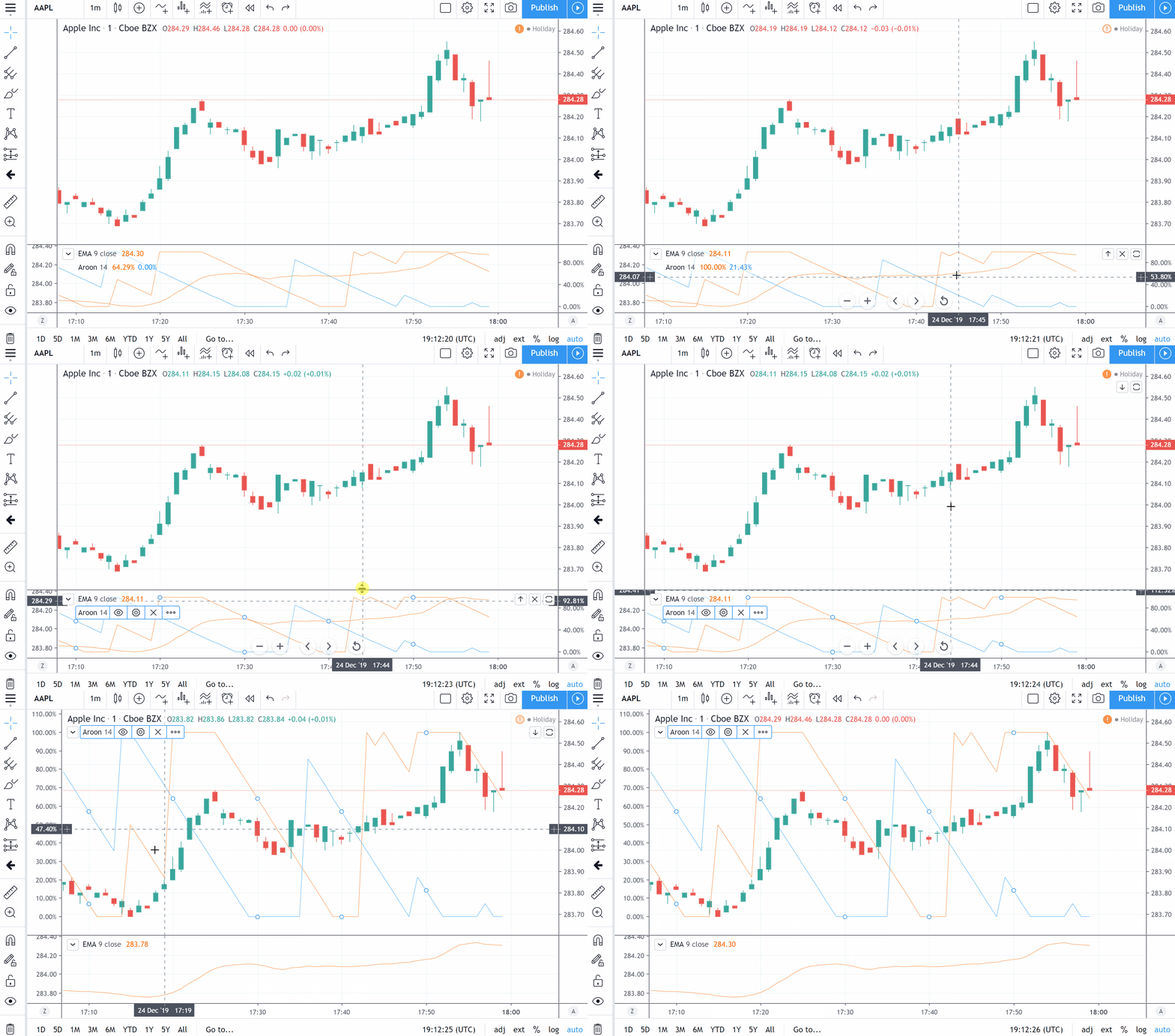
How to place two indicators on one pane?
You can use the Move To option by opening the indicator context menu via right-clicking on its name or its plots on the chart. Select Move To and choose the option you need.
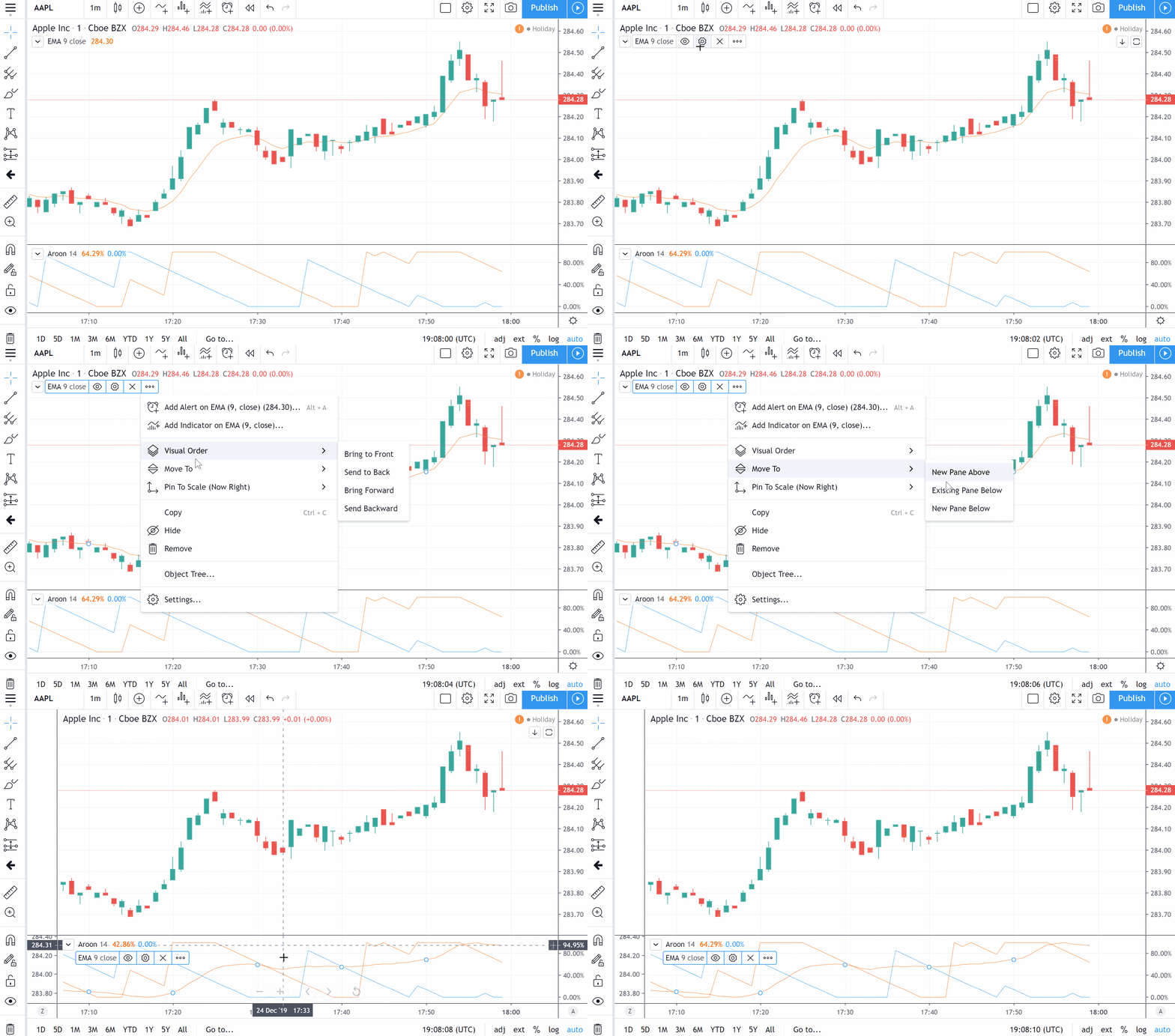
It is also possible to select the indicator and move it to another pane using your mouse.