Note: This documentation applies to the Nuvexlens Advanced Charting System. Nuvexlens fully supports technical indicators and strategy backtesting to help you make smarter trading decisions.
How do I display the price line for the extended session?
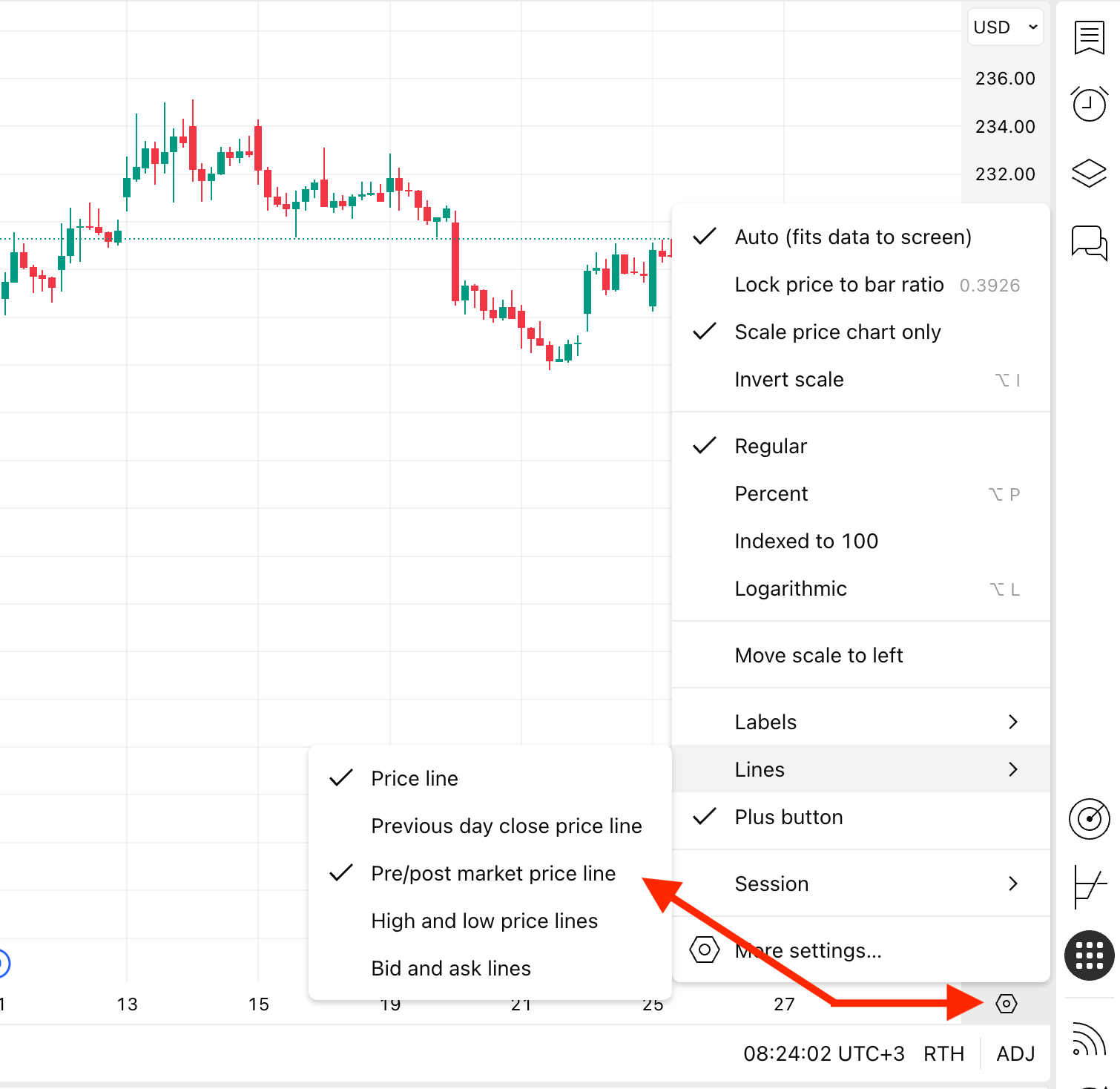
To display the pre/post-market price lines, open the price scale context menu by clicking on the gear button in the bottom right corner and select Lines → Pre/post-market price line.