Note: This documentation applies to the Nuvexlens Advanced Charting System. Nuvexlens fully supports technical indicators and strategy backtesting to help you make smarter trading decisions.
How to move an indicator to the main pane
There are two ways to move an indicator to the main pane:
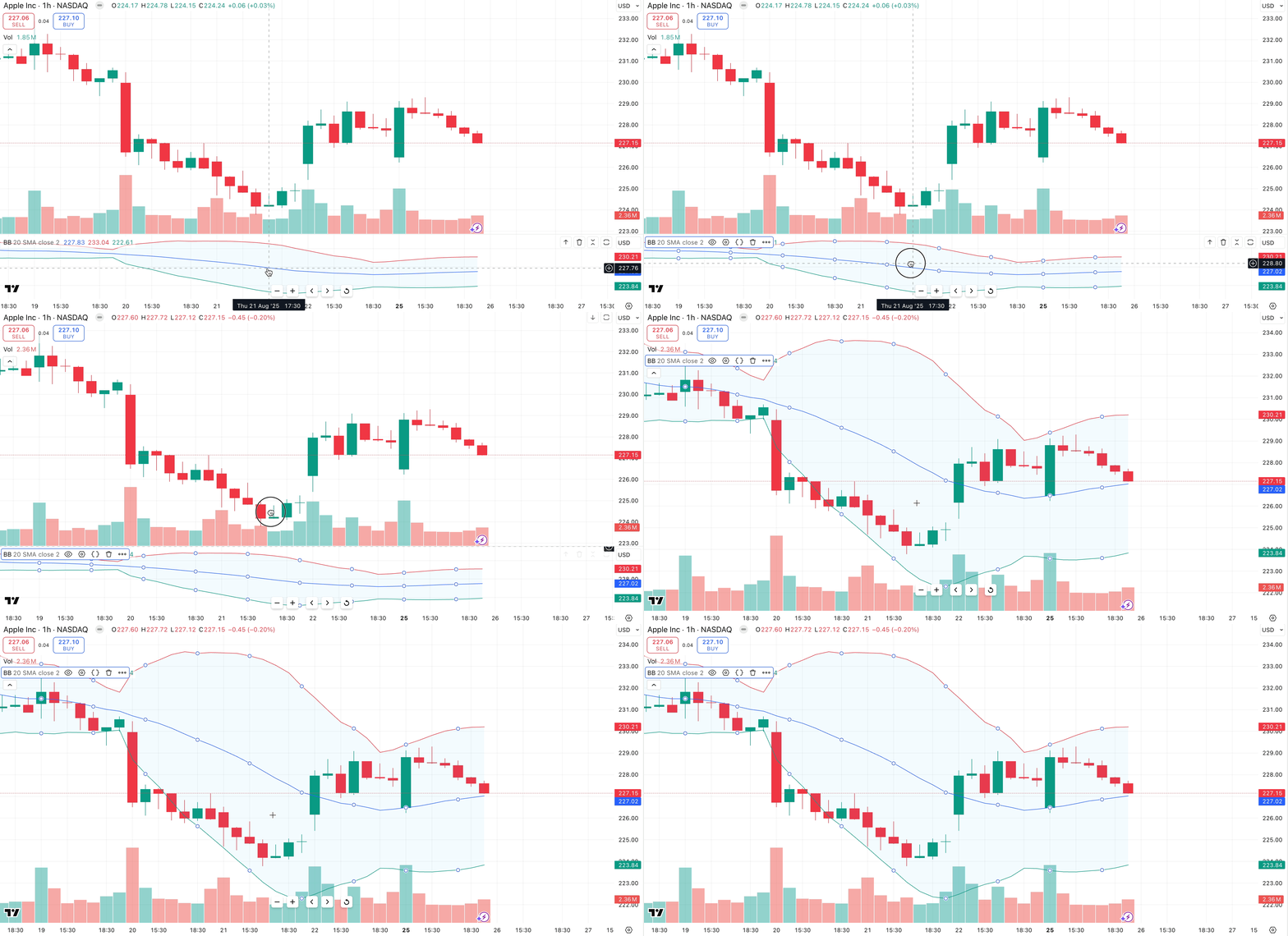
1. Just drag it manually.
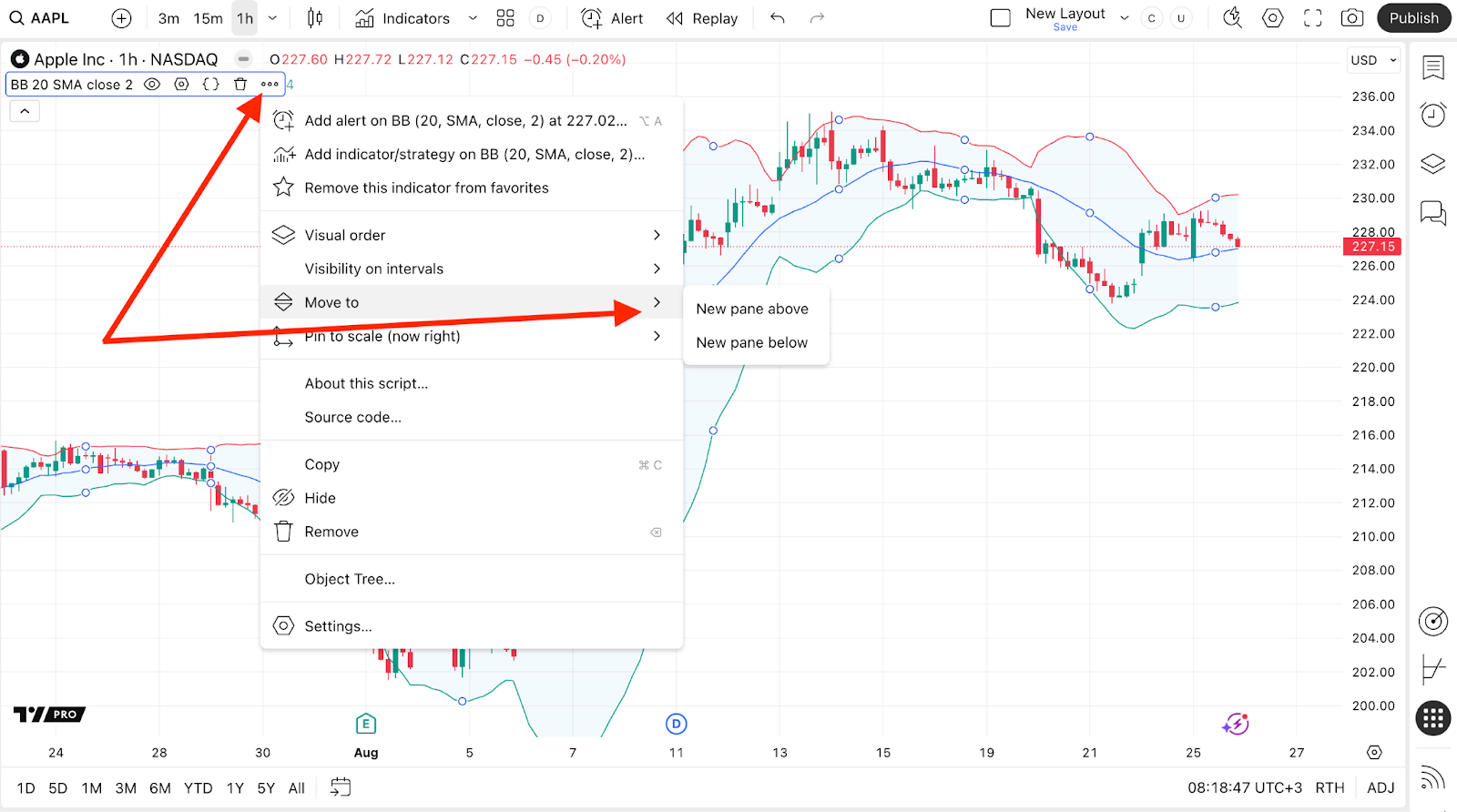
2. Click on the three dots to open the indicator’s context menu and select the preferred Move to option.