Note: This documentation applies to the Nuvexlens Advanced Charting System. Nuvexlens fully supports technical indicators and strategy backtesting to help you make smarter trading decisions.
How to enable Autoscale
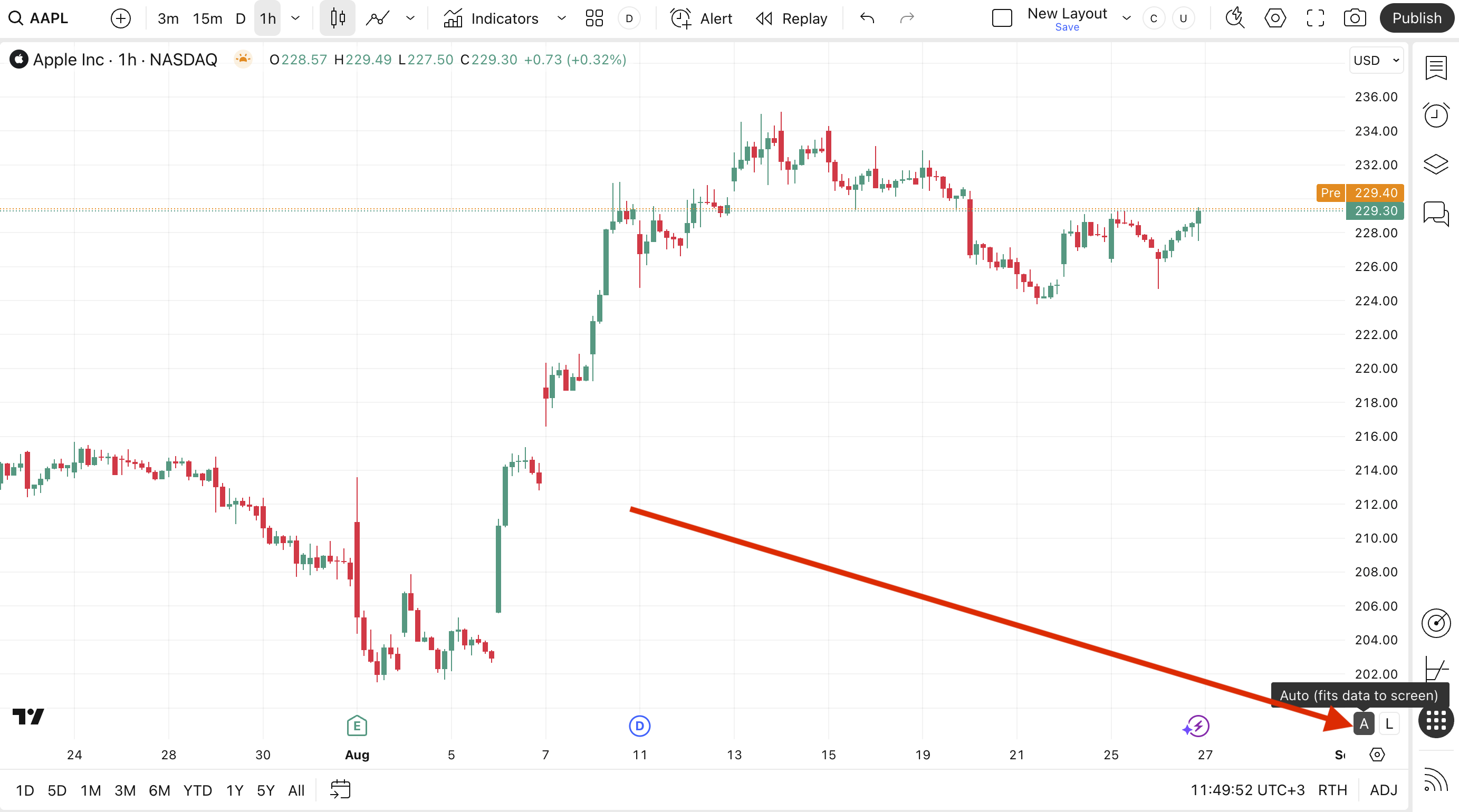
To adjust chart data to screen, enable the Auto button located on the price scale.
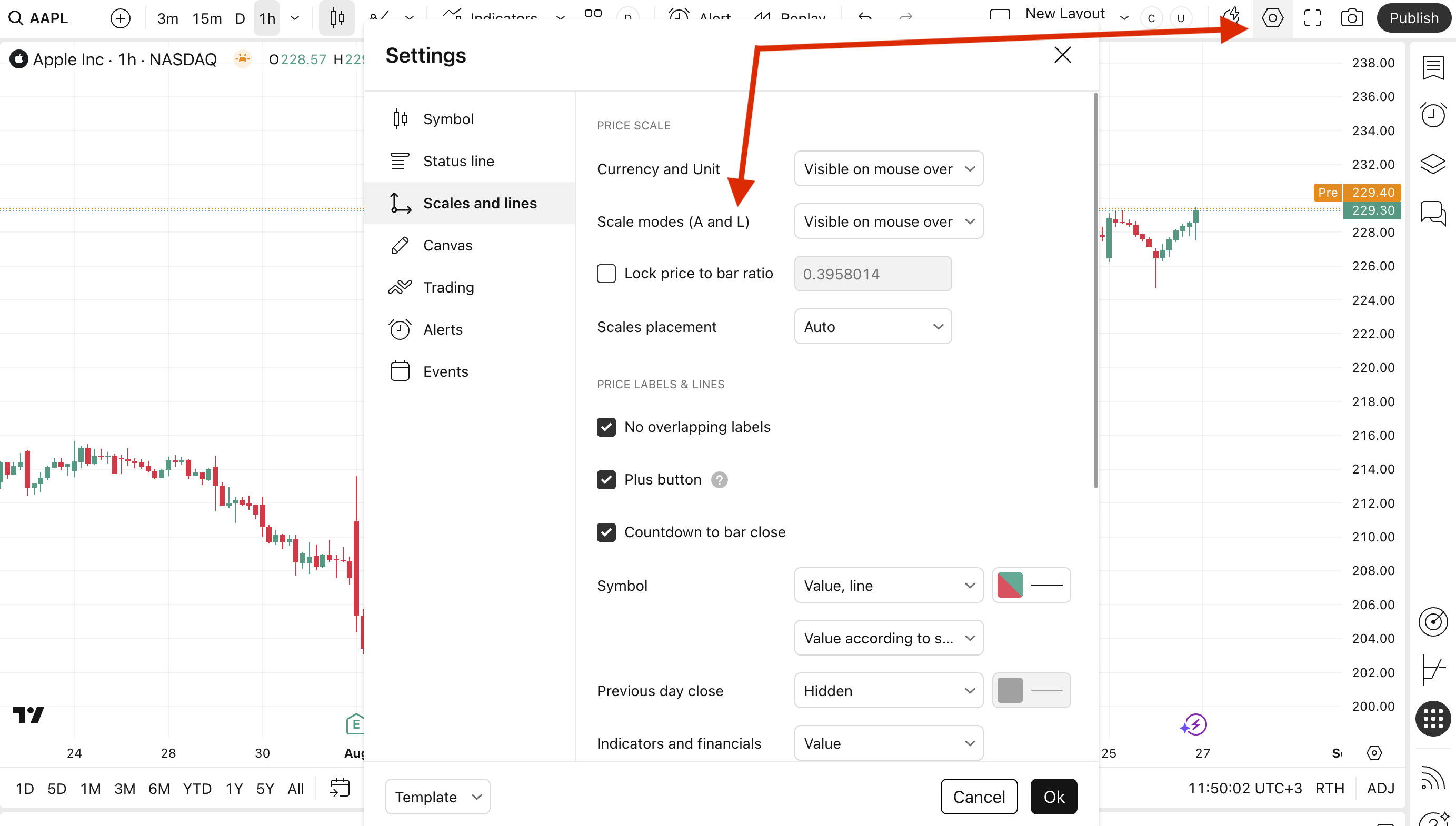
If you are unable to find the Auto button, check its visibility settings.