Note: This documentation applies to the Nuvexlens Advanced Charting System. Nuvexlens fully supports technical indicators and strategy backtesting to help you make smarter trading decisions.
How to set removal of locked drawings?
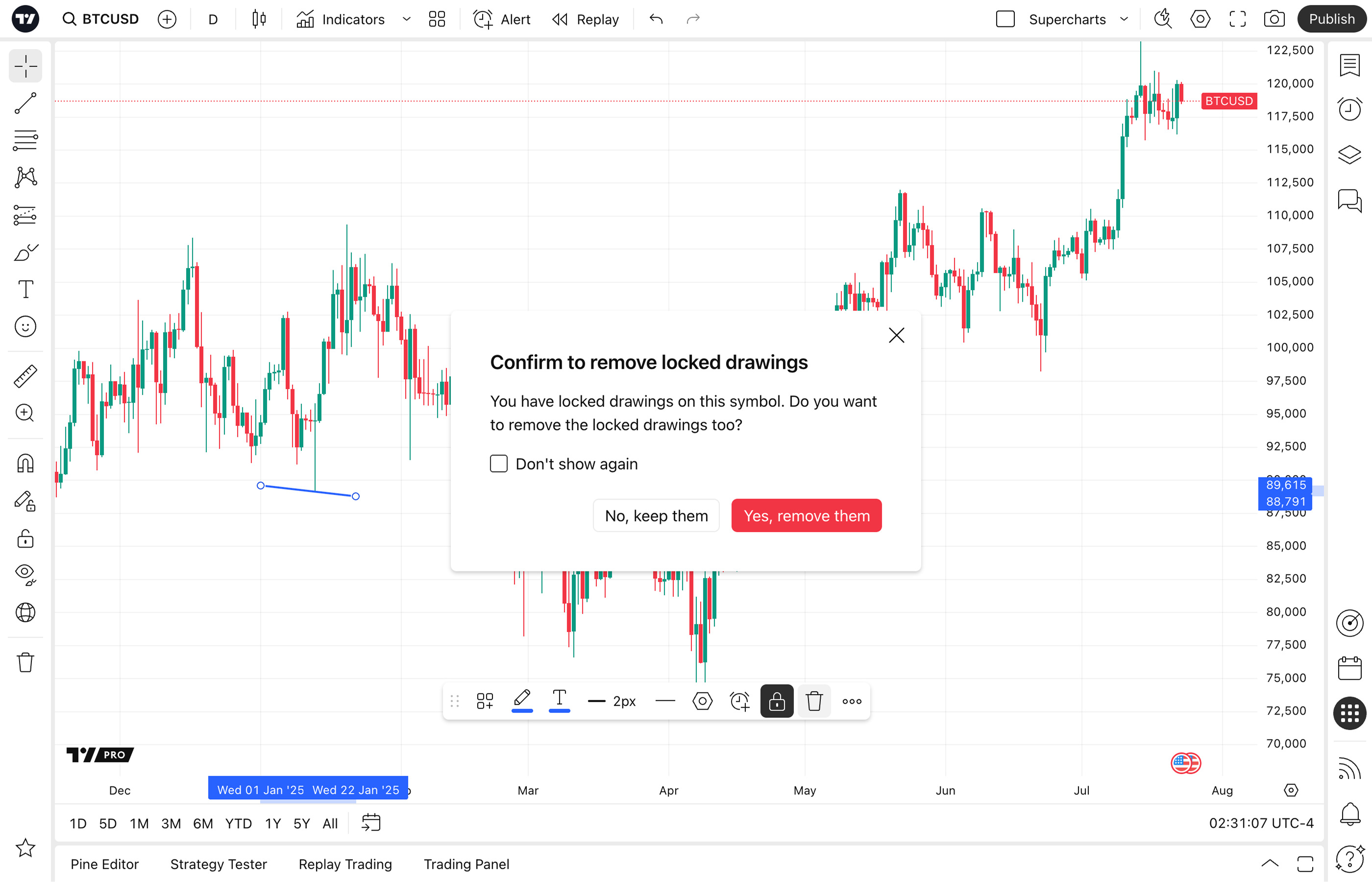
On your attempt to remove a locked drawing, you’ll get a pop-up dialog with deletion options. If you check “Don’t show again”, the chosen option will be applied as default next time.
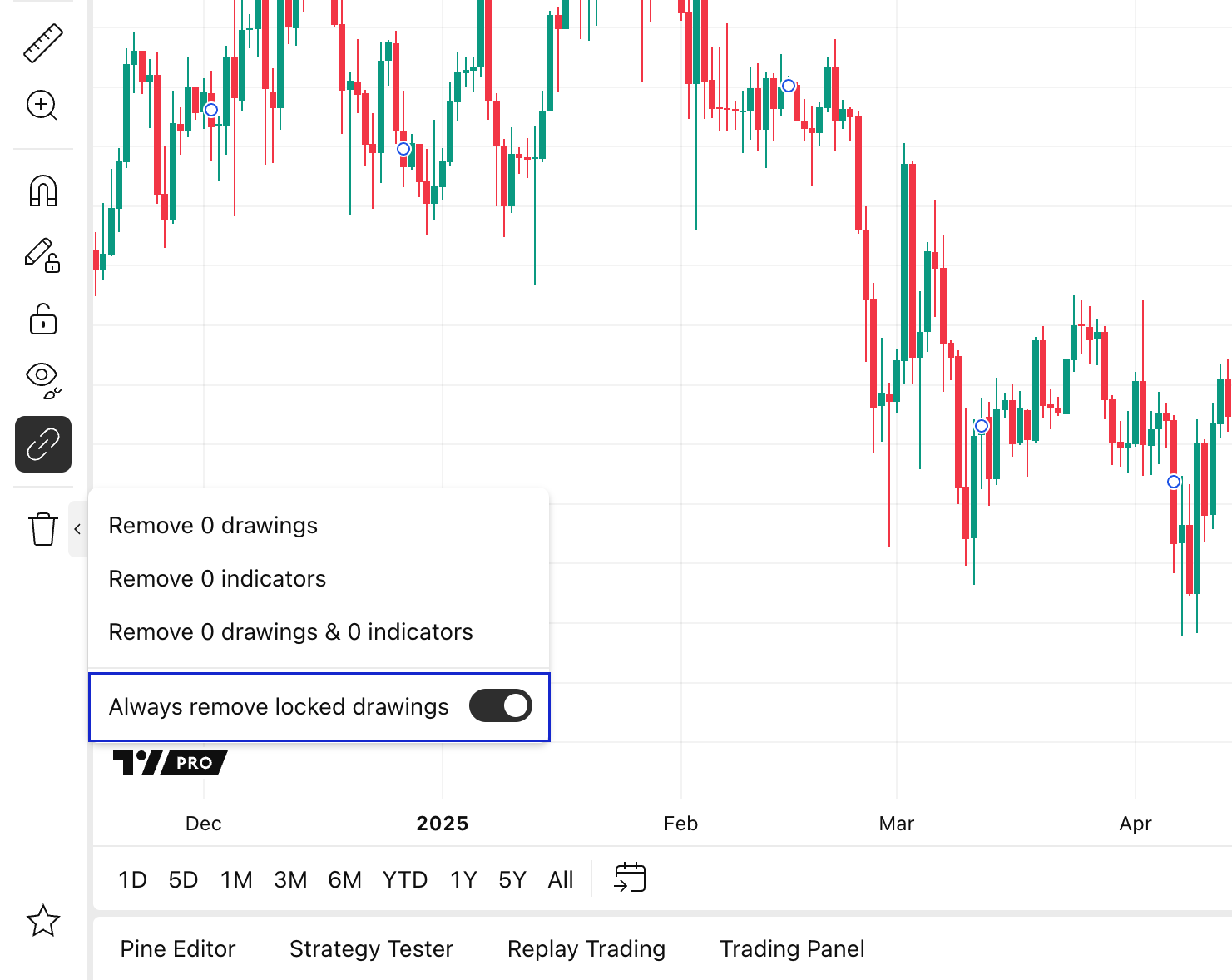
To change the behavior, open Remove options drop-down menu on the left panel, and toggle Always remove locked drawings setting: