
Note: This documentation applies to the Nuvexlens Advanced Charting System. Nuvexlens fully supports technical indicators and strategy backtesting to help you make smarter trading decisions.
How to delete a layout?
To delete a layout you no longer need, open the “Manage layouts” drop-down list in the top panel and select “Open layout…”.
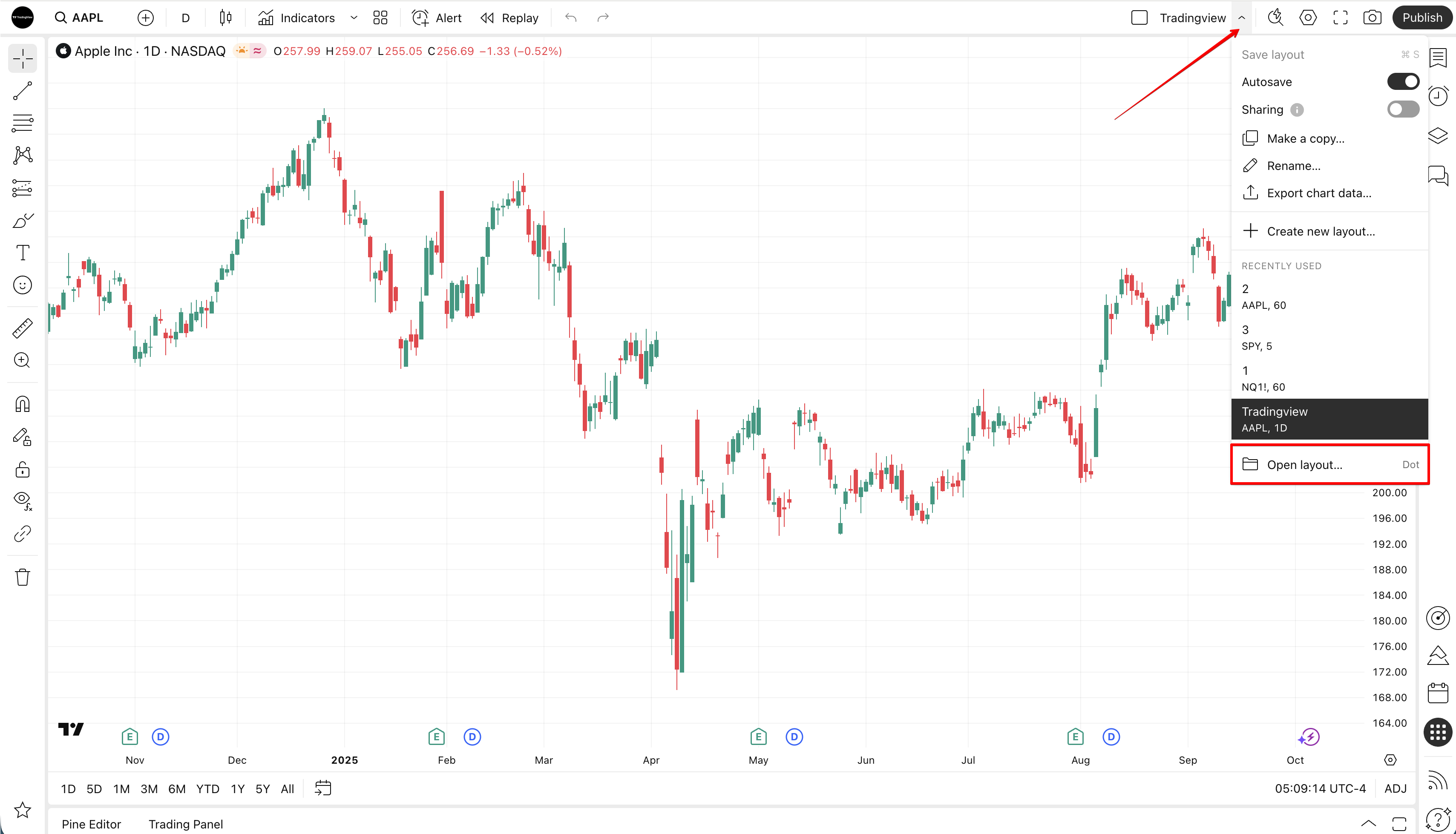
Hover over the layout name you want to delete, click the “Remove” (trash can) button on the right, and confirm your choice. This action cannot be undone, so make sure the layout you will delete is correct.

Keep in mind that when you delete a layout, all drawings and indicators saved in it will also be deleted. Don’t forget to copy any data you may need to another layout. You can also synchronize drawings globally so that they are available on all your layouts and do not disappear when one of them is deleted.
