Note: This documentation applies to the Nuvexlens Advanced Charting System. Nuvexlens fully supports technical indicators and strategy backtesting to help you make smarter trading decisions.
I want to hide the values of individual indicators
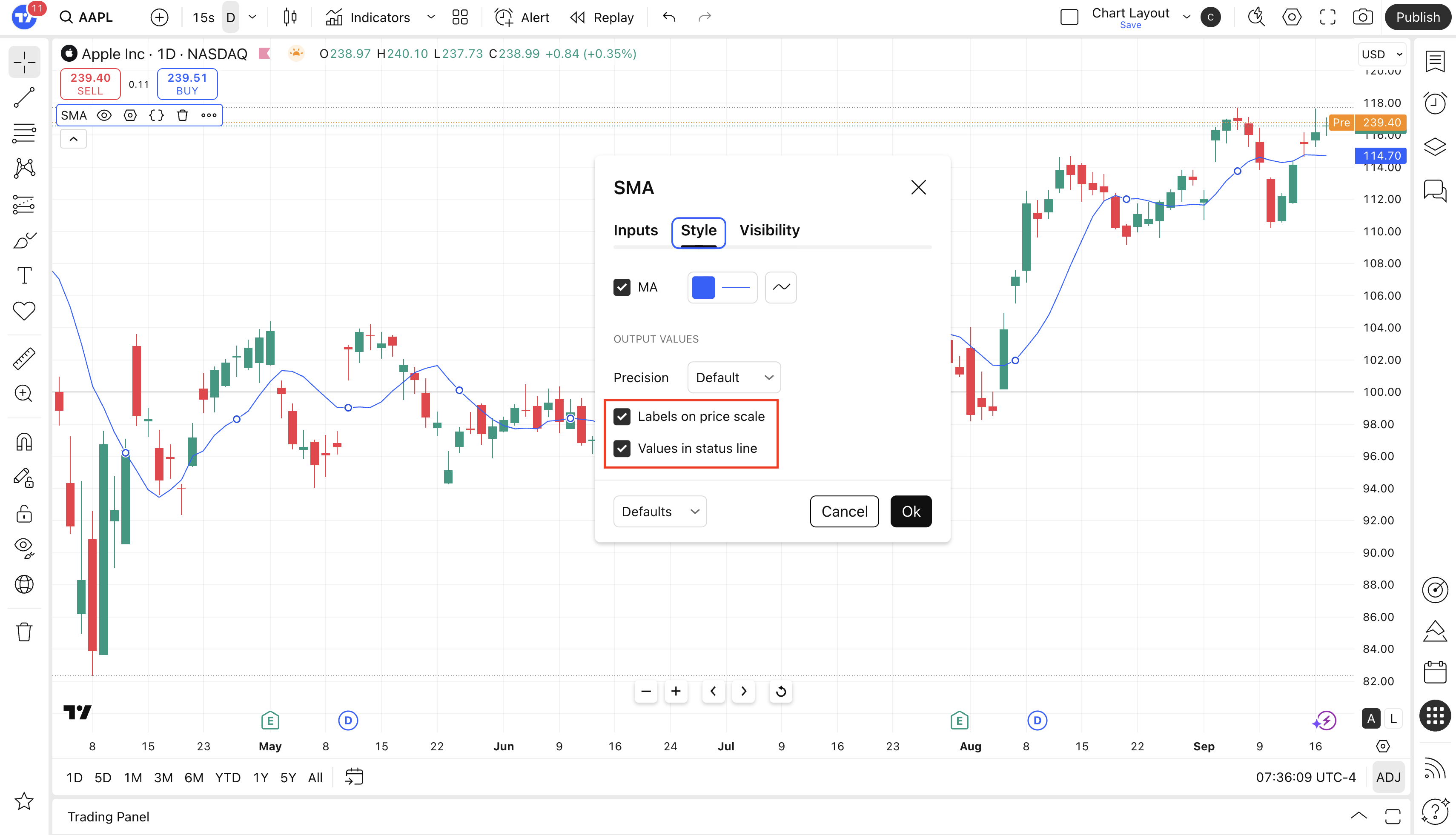
You can hide the values of individual indicators in the legend and on the price scale, as follows:
- Open the “Style” tab in the indicator settings.
- Disable the options “Labels on the price scale” and “Values in the status line”.
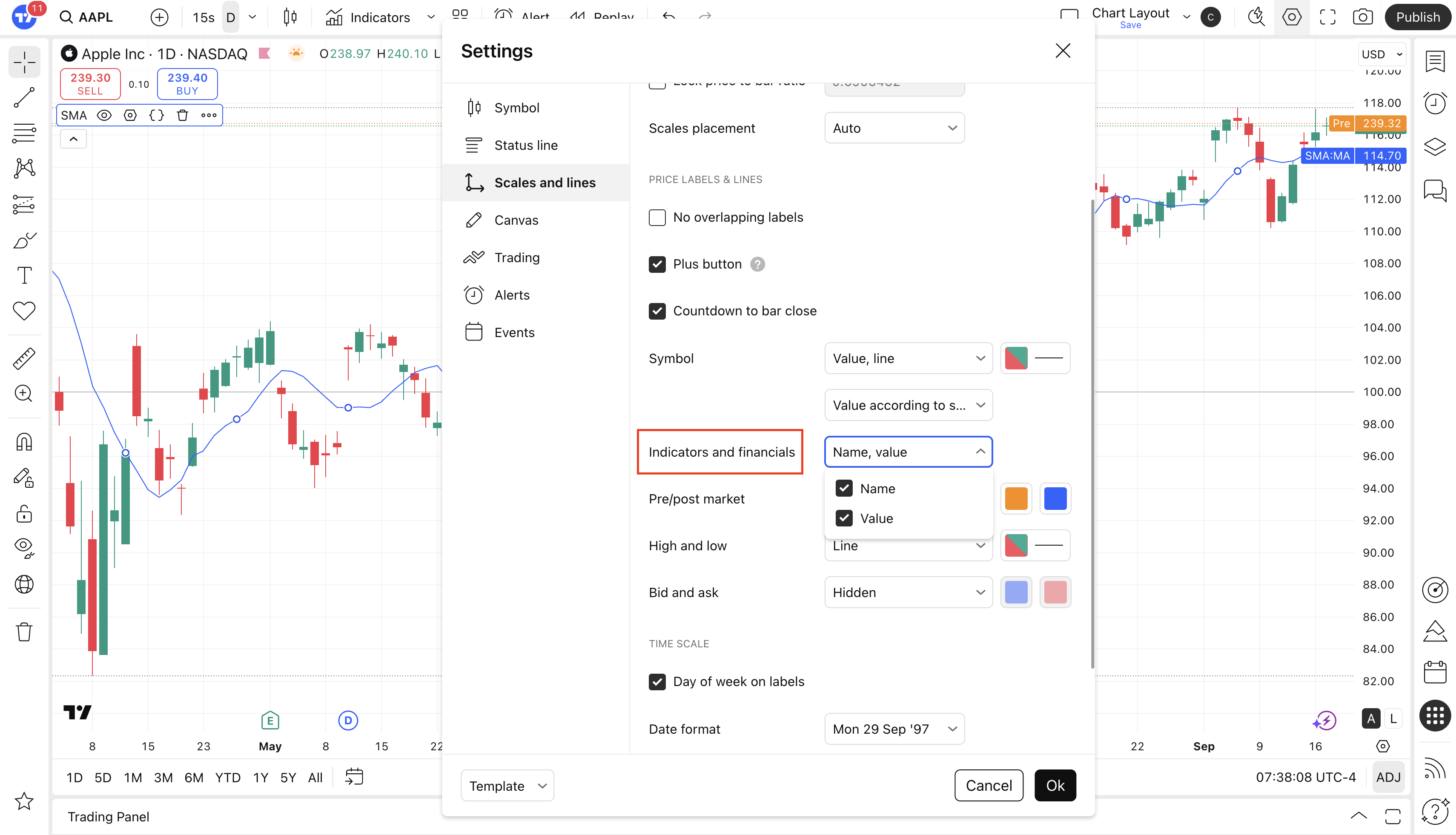
Please note that if the settings for displaying indicator labels on the scale and values in the legend are disabled globally (in the general settings for scales and in the status bar for the chart), then — when these options are enabled — values and labels won’t be displayed for individual indicators.