Note: This documentation applies to the Nuvexlens Advanced Charting System. Nuvexlens fully supports technical indicators and strategy backtesting to help you make smarter trading decisions.
How can I hide Open market status?
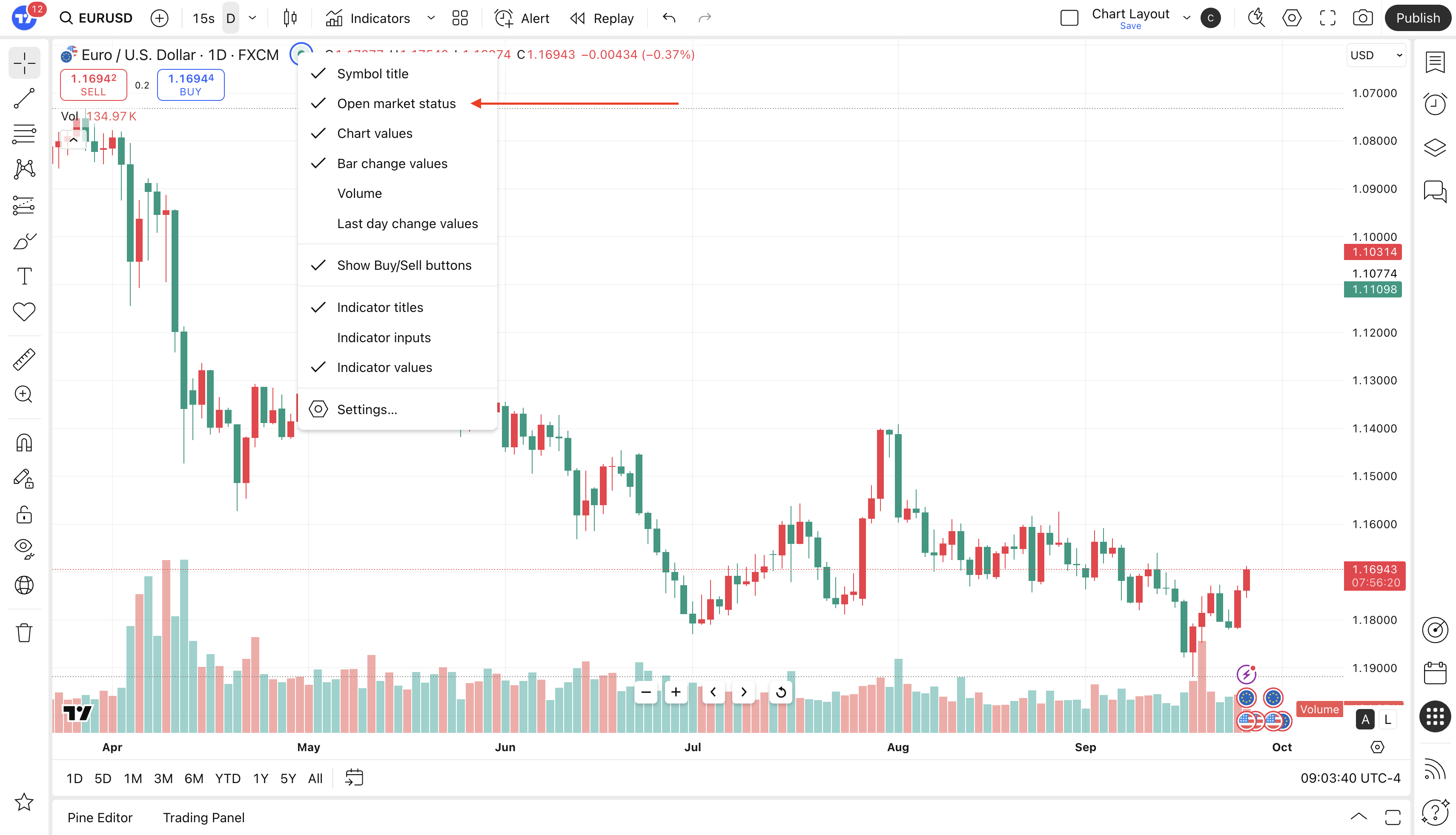
If you’d like to hide Open market status, follow these steps.
- Open the Status Line menu (right click on green dot). Make sure there is a checkmark next to this line, as in the image example below.
- Turn off Open market status by clicking on Open market status and make sure it is not checkmarked.