Note: This documentation applies to the Nuvexlens Advanced Charting System. Nuvexlens fully supports technical indicators and strategy backtesting to help you make smarter trading decisions.
How do I enable / disable the currency / unit label on the price scale?
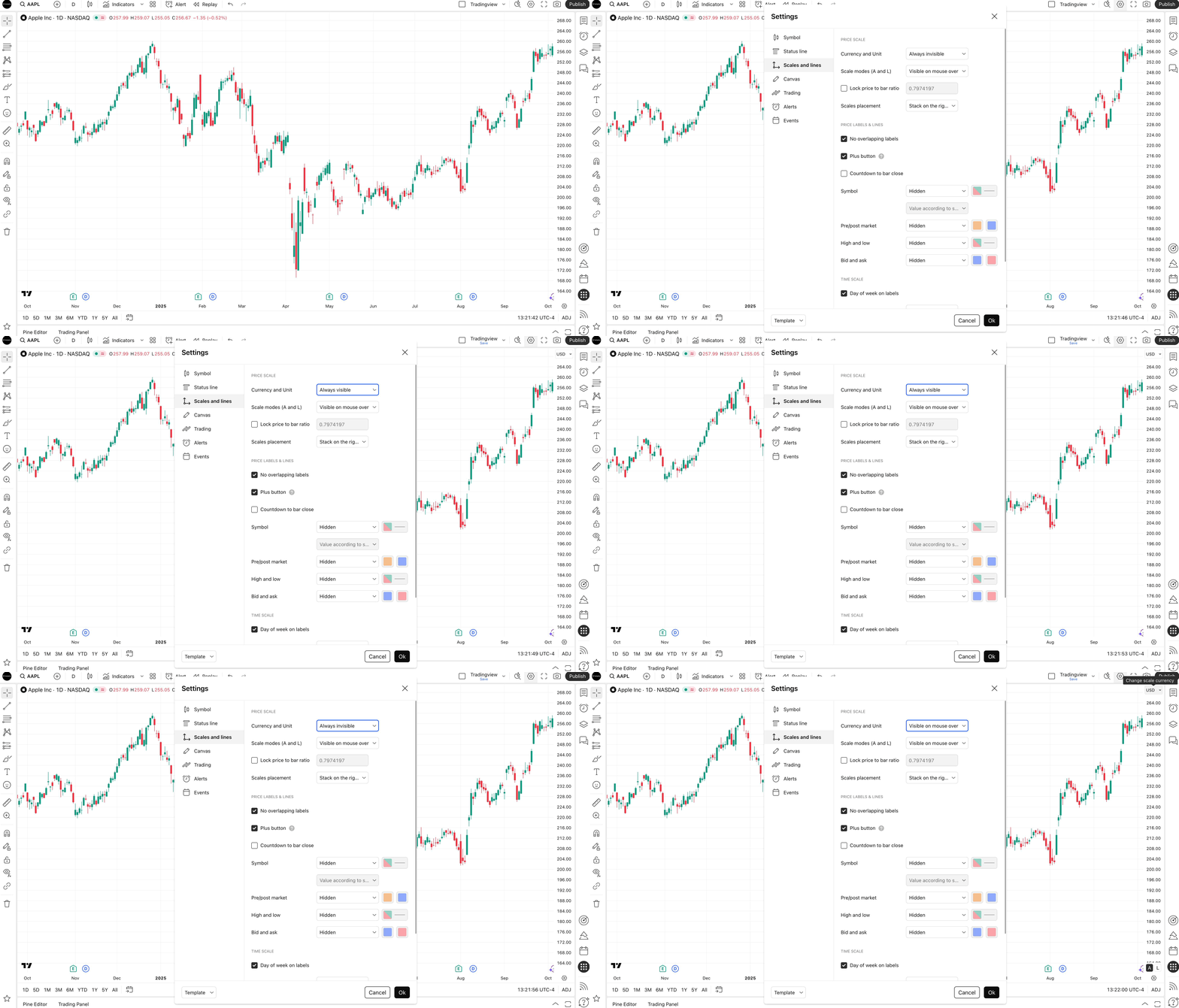
To configure the display mode of currency labels and units of measurement on your chart:
- Open chart settings.
- Go to the Scales and Lines tab in the menu that appears.
- Find the Currency and Units menu item, where you can select the desired display mode.
- Once you have selected, save your changes by clicking the OK button.