Note: This documentation applies to the Nuvexlens Advanced Charting System. Nuvexlens fully supports technical indicators and strategy backtesting to help you make smarter trading decisions.
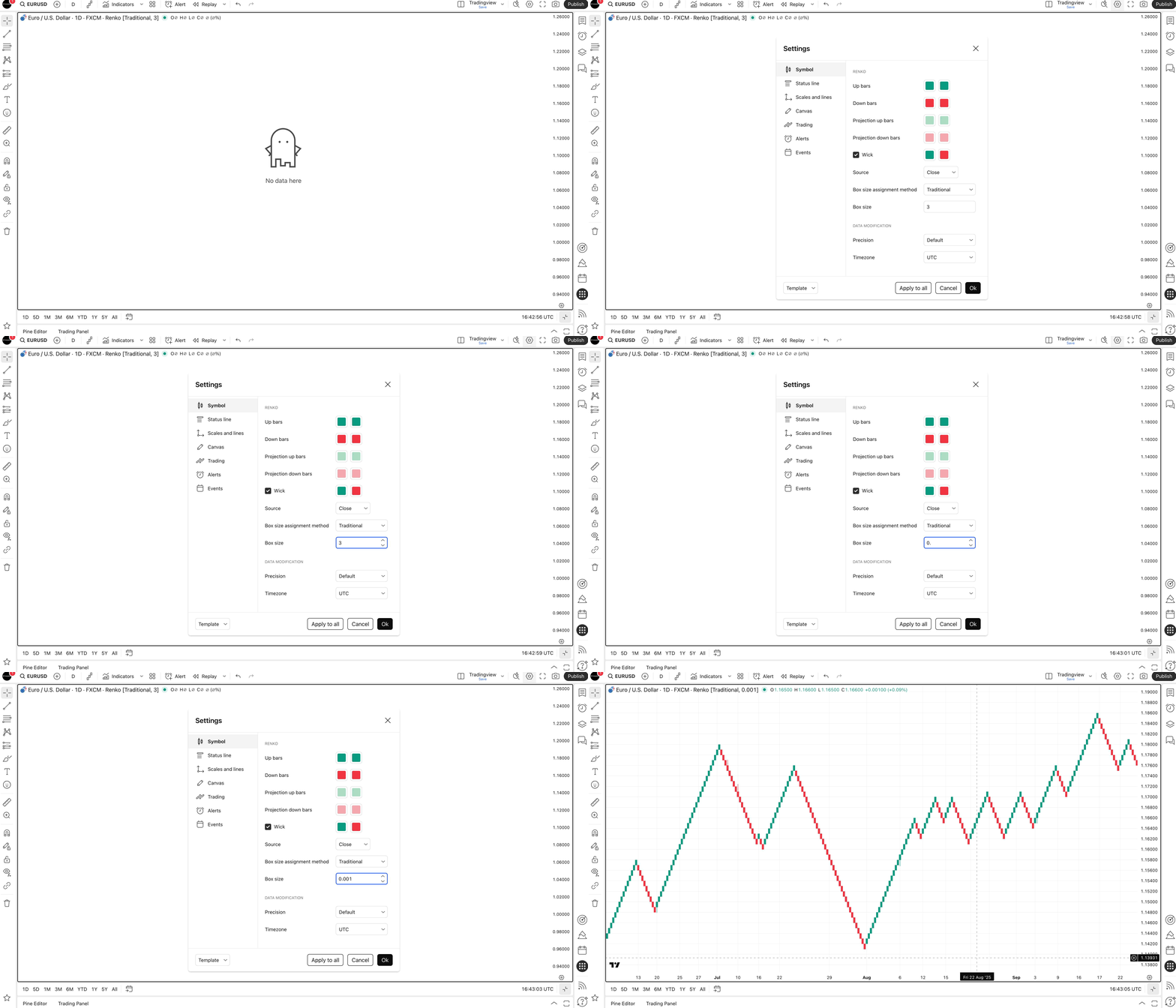
The Renko chart is not displayed or is displayed incorrectly
For the Renko chart to display correctly, it is important to select the appropriate box size. If the Renko chart is not displayed, most likely you have chosen a box that is too large for the current symbol.
You can change the box size in the chart Settings manually or select the ATR method of assigning the box size.
ATR means that the box size is calculated automatically by using the Average True Range (ATR) indicator. In Chart Properties, you can specify the bars back length, which will be used as ATR input value.