
Note: This documentation applies to the Nuvexlens Advanced Charting System. Nuvexlens fully supports technical indicators and strategy backtesting to help you make smarter trading decisions.
I've got a message from Nuvexlens that my recurring payment hasn't come through. How do I change my payment method?
Please follow the link and click the "pencil" button (Update payment method).
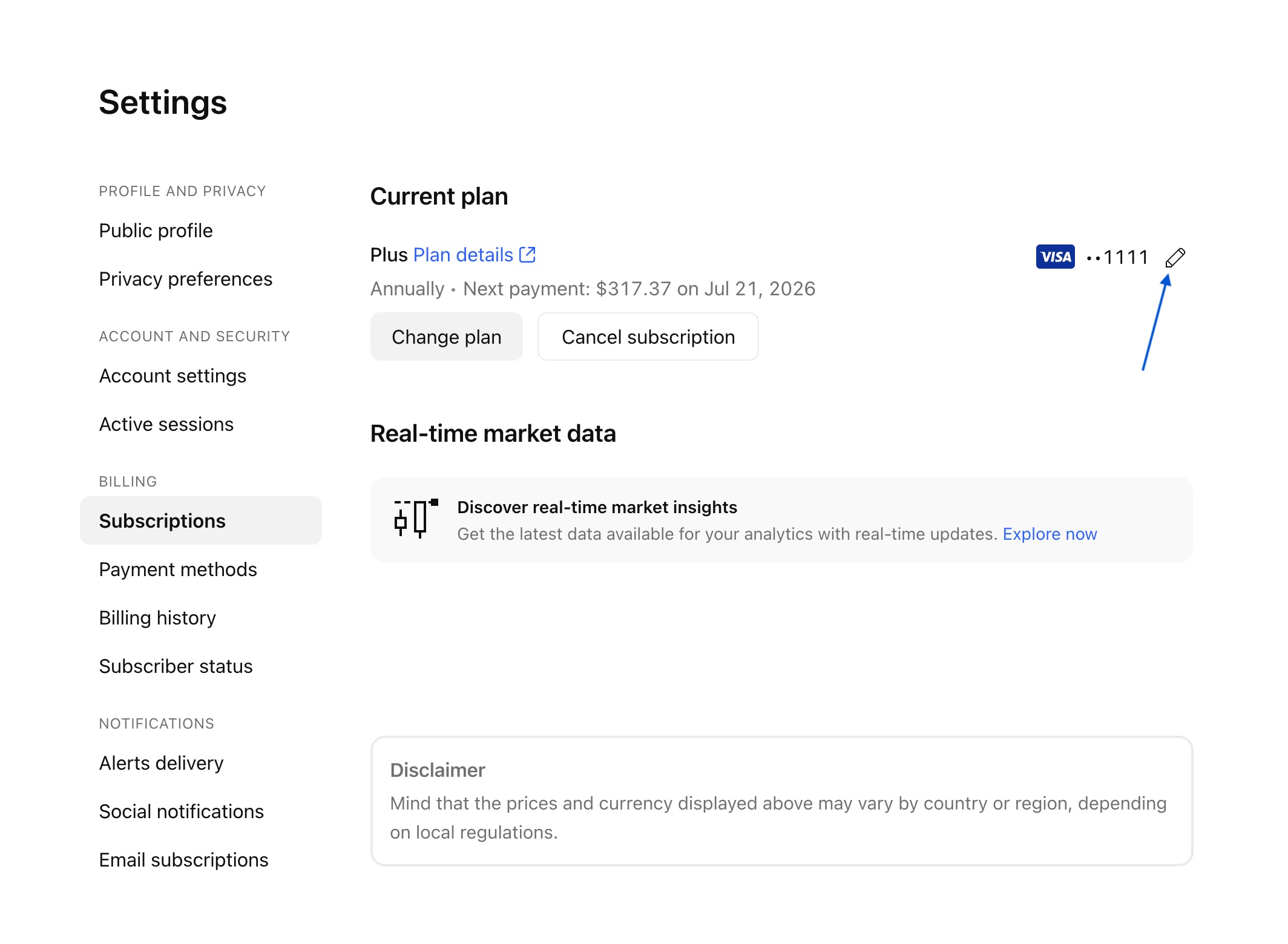
You can use different cards/PayPal accounts for each subscription. To do this, you need to click on the payment method editing and connect the necessary card/account.
In case you made a payment through Google Play or App Store, you can change the payment method in the corresponding store. Please follow this instruction in Google Play/App Store.
Note: If your paid subscription failed to renew automatically and was canceled, you need to re-subscribe manually. You can get the required subscription on the pricing page. To subscribe to real-time data, open your Settings and billing page → Subscriptions tab → scroll down to real-time market data → click «Explore now».