
Note: This documentation applies to the Nuvexlens Advanced Charting System. Nuvexlens fully supports technical indicators and strategy backtesting to help you make smarter trading decisions.
How to Adjust Alert Volume
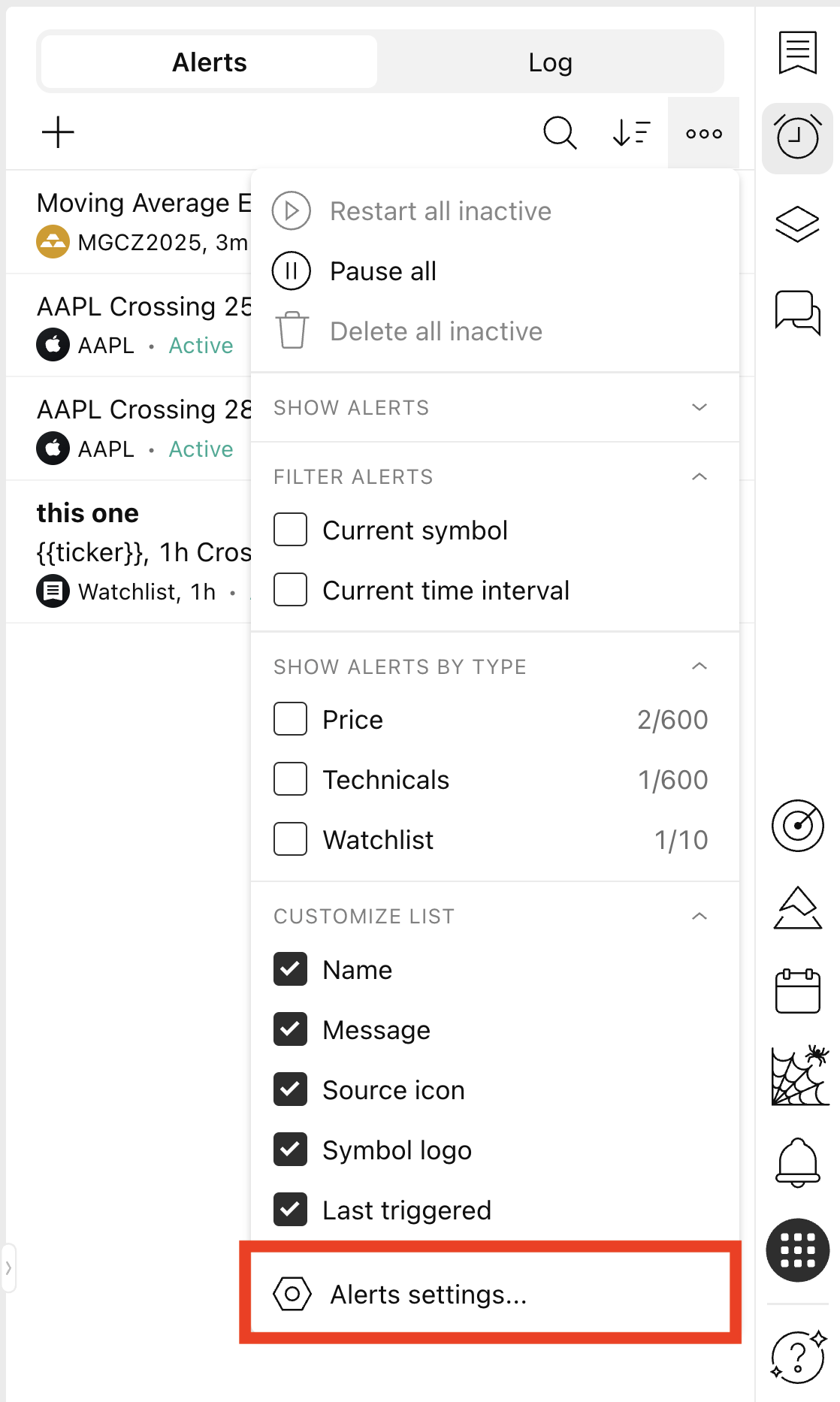
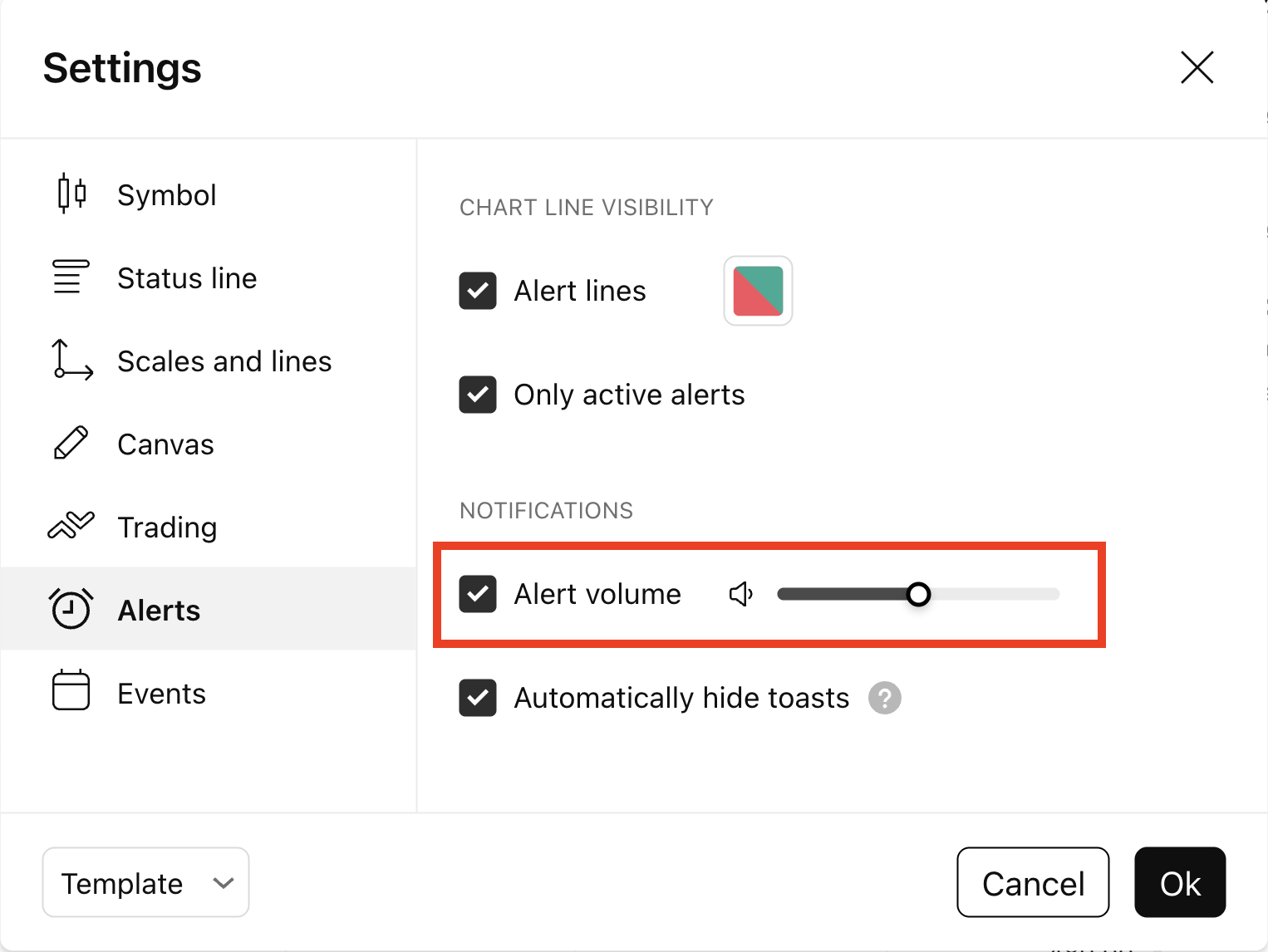
The Alert Volume setting can be found in the Settings → Alerts. It works globally, applying to all alerts at once.
1. Open the Settings via the Alerts Menu in the right toolbar.
2. Navigate to the Alerts section. Use the Alert Volume slider to increase or decrease the volume to your preferred level.
Please note: This setting is available on the website and not in the mobile or desktop apps.